


Film misalignment and poor sealing are rarely caused by a single fault. Troubleshoot step by step in the order of “unwinding—guide rollers—sealing—coding,” starting with static tests before moving to dynamic ones; the issue can usually be pinpointed within 1–2 hours. Rely on test data from sample bags for diagnosis, not on feel. Pre-gapped continuous-roll bagging machines are more sensitive to film tension and bag-mouth quality; when troubleshooting, prioritize inspecting the unwinding and pre-gapping stages.
Comparison of Symptoms: What are the respective causes of roll film misalignment, poor sealing, and misaligned coding?
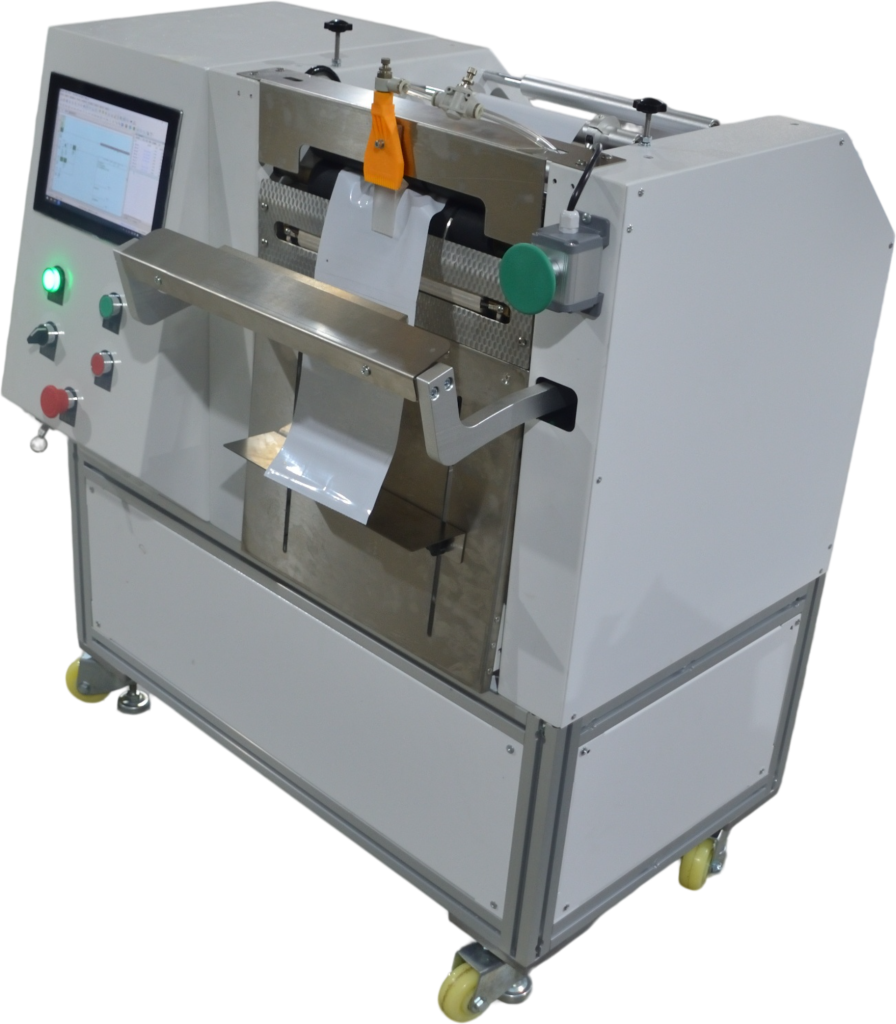
First, establish the relationship between the symptoms and their causes, then take action. The table below uses common operating conditions for pre-cut continuous-roll bagging machines, such as the JYZN-P350S and JYZN-P350GDK, as a reference; all diagnostic methods can be performed directly on the machine.
| Phenomenon | Possible Causes | Methods of Determination |
|---|---|---|
| The roll of film keeps drifting to one side | Uneven unwind tension on both sides, non-parallel guide rollers, and uneven film roll ends | Measure the distance between the two ends of the idle guide roller. If the error exceeds 0.5 mm, adjust the roller first; run the roll idle to observe whether the direction of film edge deviation becomes more pronounced as the roll diameter decreases. |
| Partial failure to fuse the seal line | Sealing temperature is too low, pressure is insufficient, and there are film particles on the sealing surface | Perform five consecutive test seals using the same roll of film, and mark the locations where the film did not fuse; if they are concentrated on the same side, check the parallelism of the sealing blade holder. |
| The film at the seal has torn or is wrinkled | Excessively high sealing temperature, insufficient cooling time, and excessive tension | Lower the temperature by 5°C and try again; check whether the fracture surface has turned white and become brittle—brittleness usually indicates that the temperature was too high. |
| Forward and backward drift in TTO marking position | Fluctuations in the photoelectric detection signal, bag length parameters that do not match actual measurements, and delays in code printing triggering | Print on 10 consecutive bags, measure the distance from the print position to the seal line, and if the range exceeds 2 mm, check the photoelectric sensor and the bag length setting. |
| Failure to retrieve pre-cut bags or an increase in the rate of empty bags | Insufficient depth of the pre-cut opening at the bag mouth, static electricity on the film surface, and misalignment of the bag-gripping suction cup | Conduct random inspections of 20 bags to check for consistency in opening depth; use an electrostatic tester or visual inspection to assess film adhesion. |
Roll film misalignment is a common cause of subsequent sealing and coding issues. Address the misalignment first, then adjust the sealing parameters; otherwise, the parameters will keep drifting.
Step-by-Step Troubleshooting Sequence: Four-Step Inspection from Unwinding to Sealing
The troubleshooting sequence proceeds in the following order: “static geometry—dynamic tension—heat sealing parameters—coding synchronization,” with only one variable changed at a time.
Step 1: Visually inspect the installation of the film roll and the guide rollers
With the machine shut down, verify that the end face of the film roll is perpendicular to the unwind shaft. After clamping the film roll, manually rotate it one full revolution and observe whether the film edge oscillates periodically. If the oscillation amplitude exceeds 1 mm, first check the flatness of the film roll’s end face and whether the core is deformed. Next, use a caliper to measure the distance from both ends of the guide rollers to the machine frame’s reference surface; for most machine models, parallelism must be maintained within 0.5 mm. Misalignment of the guide rollers is the mechanical root cause of film run-off; adjust the rollers before changing any parameters.
Step 2: Monitor the unwind tension and film edge position in real time
During no-load operation, observe the position of the film edge from a full roll to a small roll. If the offset increases as the roll diameter decreases, this indicates insufficient tension control tracking; check the unwind brake or servo tension feedback. If the direction of the offset remains constant and does not change with the roll diameter, the issue is most likely related to the guide rollers or the zero-point calibration of the web guidance sensor. For pre-slit continuous film rolls, since the bag openings are already separated, the film surface has slightly lower rigidity. The tension setting is generally lower than for standard film rolls; the specific value should be adjusted so that test bags do not drift or stretch.
Step 3: Comparison of Sealing Parameters and Univariate Adjustment
Of the three parameters—sealing temperature, pressure, and time—first fix the pressure and time, and adjust only the temperature each time, in 5°C increments. The heat-sealing windows for laminated films and aluminum-coated films differ; aluminum-coated films typically require slightly lower temperatures and slightly lower pressure. For models with servo-controlled sealing that allow for tear-off separation, it is also necessary to verify that the tear-off force matches the seal strength: there should be no tear notches along the seal line after tear-off.
Step 4: Code Printing Synchronization and Bag Length Verification
If the TTO marking position drifts, first remeasure the actual bag length and compare it to the system setting; if the error exceeds 1 mm, recalibrate the bag length. Next, check whether the photoelectric sensor is being interfered with by the pattern on the film surface; you can switch to the blank area of pre-cut continuous film rolls to verify the trigger. The print control system is integrated into the AUTOMATIC series of intelligent systems. It is recommended that equipment engineers lock the trigger delay parameters during the bag testing phase and avoid making arbitrary on-site adjustments.
Remediation and Retesting: What Criteria Should Be Used for Acceptance After Parameter Adjustments?
After completing each adjustment, test a batch of bags and record the results; do not make judgments based on a single bag. We recommend selecting 20 consecutive bags as a batch and inspecting them according to the following criteria.
- Film Roll Misalignment: After 5 minutes of continuous operation, the film edge misalignment must not exceed 1 mm and must not continue to increase as the roll diameter changes.
- Seal Strength: Perform a manual pull-off test on 20 bags one by one; the seal line should be continuously fused, with no localized whitening or unfused spots.
- Printing Position: The deviation in the distance from the printing position to the seal line on 10 consecutive bags must not exceed 2 mm.
- Empty Bag Rate: Retrieve the pre-opened bag 20 times; record the number of failures and convert the data. If an anomaly occurs, return to the pre-opening depth and suction cup position to troubleshoot.
If, after adjusting the parameters, the seal is acceptable but misalignment recurs, return to Step 2 to check the tension; do not continue to compensate by increasing the temperature. It is recommended that the acceptance record include the film roll lot number, ambient temperature and humidity, and parameter values to facilitate traceability. The compatibility between the film roll and the ribbon can also affect the clarity of the print; please refer toThermal Transfer RibbonsCross-check the selection guidelines.
How to Prevent Recurrence: Inspection Items and Standard Procedures for Changing Rolls
Most misalignment and sealing issues stem from the roll change process. After changing the roll, manually rotate it one full revolution to inspect the film edge, then run the machine at low speed for 30 seconds to confirm there is no misalignment, and finally increase the speed to production speed. Inspect the guide rollers for film debris and adhesive residue at the start of each shift, and clean the sealing blade holder once per shift. It is recommended to control humidity in the storage environment for pre-slit continuous film rolls, as moisture on the film surface can affect tension performance. For integrated bagging and coding production lines, please refer toPre-opening Continuous-Roll Bag Packaging MachineCheck the model specifications to verify any structural differences in this machine. By keeping long-term records of the deviation trends for each roll of film, you can detect fluctuations in incoming materials before batch-to-batch variations become more pronounced.
Frequently Asked Questions
Q: The film is still misaligned even after adjusting the guide rollers. What should I do?
A: First, check whether the end face of the film roll itself is even. Load another roll from the same batch for comparison. If the issue resolves after switching rolls, the problem lies with the incoming material; if the misalignment persists, check the perpendicularity between the unwind shaft and the machine frame, and measure the radial runout of the unwind shaft with a dial indicator if necessary.
Q: The seal isn't tight, but the temperature is already very high. Can I still heat it further?
A: We do not recommend continuing to increase the temperature. First, check the pressure and sealing time, then inspect the sealing surface for any film debris or signs of aging in the silicone gasket. Excessively high temperatures can cause the seal line to become brittle, resulting in the film tearing outside the seal line when pulled by hand—this is a characteristic of overheating.
Q: How do I investigate a sudden increase in the empty bag rate for pre-cut bags?
A: Check in the following order: “opening depth at the bag mouth—suction cup position—static electricity on the film surface.” Take a sample of 20 bags to check for consistency in opening depth, then check whether the suction cup is misaligned, and finally verify the ambient humidity. Insufficient opening depth is often related to the incoming film roll; you can determine the cause by replacing the roll and comparing the results.
Q: The TTO printing position keeps shifting back and forth—is this related to the film roll?
A: Yes, it does. Fluctuations in film roll tension can cause momentary changes in bag length, resulting in a corresponding drift in the coding trigger. First, rule out misalignment and tension issues, then remeasure the bag length calibration value. If the pattern on the film roll interferes with the photoelectric sensor, switch to a blank area to verify the trigger.
Do you need to verify compatibility based on your bag type and material?Contact UsGet product selection recommendations and sample bag options.